For a PVC NFC card setup with more than one ADMAL card, the first decision is not simply the quantity. Ask whether every card should open the same digital profile, or whether each person needs a separate profile and QR destination. ADMAL’s current product page offers Duplicate and Unique fulfillment modes and describes the difference in the ADMAL Digital profile, NFC link, QR code and information assigned across the cards.
PVC NFC card setup: what does Duplicate mean?
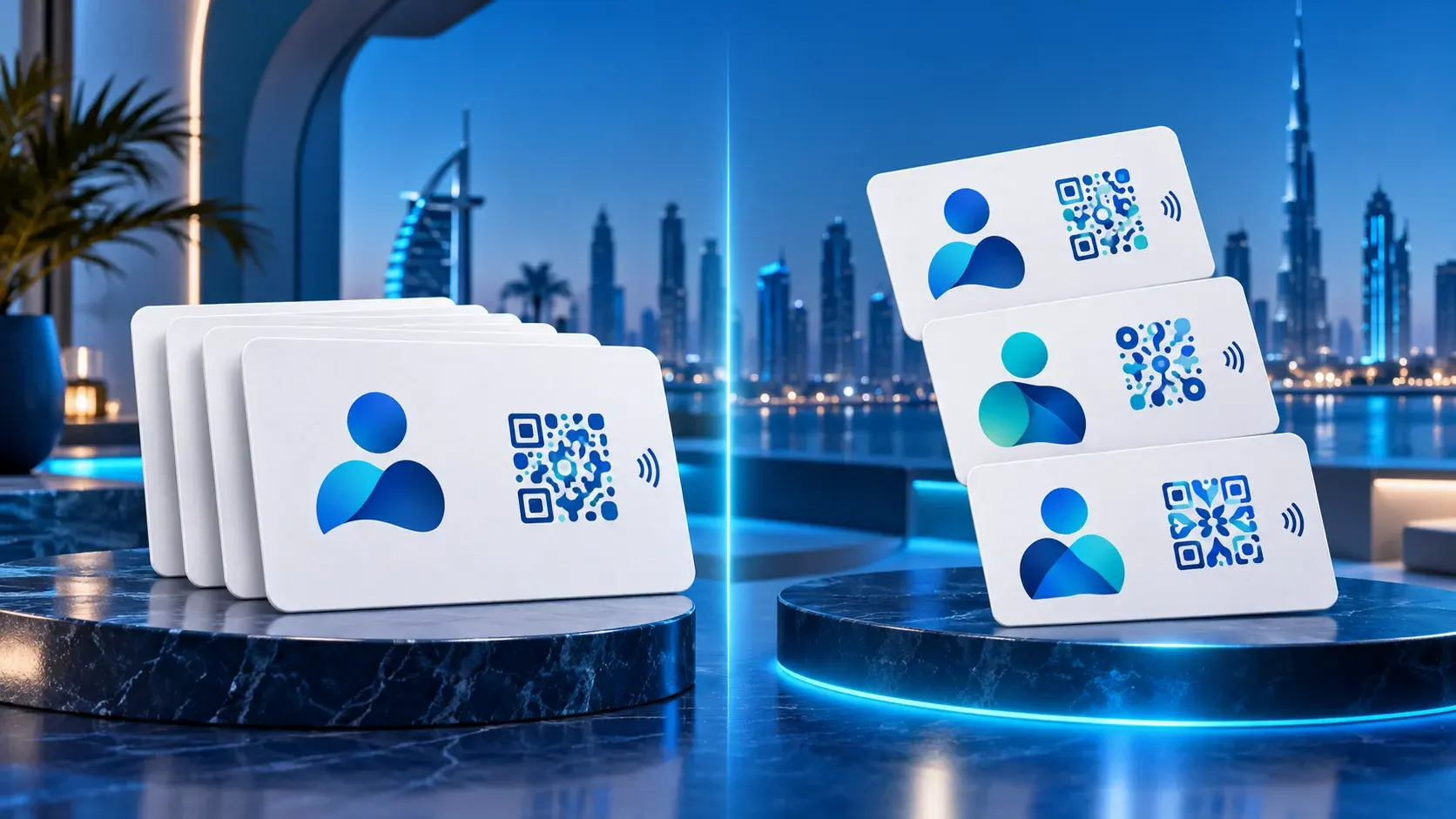
The live product description says that all cards in the selected quantity use the same ADMAL Digital profile, NFC link, QR code and information. That suits an order where the customer wants to repeat one identity or destination across multiple physical cards. The listing gives examples such as one person, brand, shop, clinic or branch when the customer wants the same details on every card.
Think of this as repeating one approved digital touchpoint across the order. The physical cards are separate objects, but the product description does not say that each card receives a separate profile in Duplicate mode. If branches or units need different contact details or destinations, do not assume that a shared setup will support them. Prepare a list of the differences and ask ADMAL to confirm the suitable configuration before approving the order.
When is Unique the better fit?
The product page says that each card in Unique mode receives its own ADMAL Digital profile, NFC link, QR code and information. It names teams, employees, sales agents and different users as examples. This is useful when a visitor needs to reach a specific person or when cardholders need different public details.
For a PVC NFC card setup in Unique mode, prepare a mapping sheet. Match each card with its owner and required information. It can include a card reference, the printed name, the digital-profile details and the intended QR destination. Collect only what the card needs to do its job. Check spellings, phone numbers and destinations with the relevant people before sending the final list.
| Decision question | Duplicate | Unique |
|---|---|---|
| Does every card use the same profile? | Yes, according to the product description | No; each card has its own profile and information |
| What happens to NFC and QR? | All cards in the quantity use the same links and information | Each card receives its own NFC link, QR code and information |
| Examples in the listing | One person, brand, shop, clinic or branch | Teams, employees, sales agents or different users |
| What should you prepare? | One approved profile and data set | A clear data set for every cardholder |
PVC NFC card setup: separate assignment from visual customization
Duplicate and Unique describe how the physical cards map to profiles and destinations, according to the current listing. Card color, print color, logo, text and artwork are separate visual choices. The PVC product page lists a matte PVC card, with published dimensions of 85.6 × 54 mm, a thickness of 0.8 mm and UV printing on both sides. Choosing a digital assignment mode does not replace a careful review of the printed design.
Also, do not assume that a printed QR code changes automatically when a digital profile changes. The product specifications say that the printed QR destination is static after production and the customer must confirm it before production. They also state that the cardholder can change the NFC destination locally while holding the card; ADMAL cannot change it remotely. The NFC Forum overview of NFC explains this short-range technology in general. It does not confirm this card’s chip or setup. Therefore, verify the intended QR destination for every card in Unique mode, or the shared destination in Duplicate mode, before approving production.
PVC NFC card setup checklist before you send details
- Decide whether the order shares one profile or serves different cardholders.
- Select Duplicate when details and destinations are shared; select Unique when each user needs an individual profile, links and information.
- For Unique, map every name to its card, NFC destination and QR destination. Do not rely on file order alone.
- Check names, phone numbers, logo, text and artwork. Get the relevant cardholders to confirm their details when appropriate.
- Open each QR destination and confirm where it leads before production; the printed code is static afterward.
- Review the approved design and keep the final data-and-link mapping you supplied.
Three scenarios that make the choice clearer
One business identity used at several locations: If every card should show the same identity and destination, the product listing gives Duplicate for one person, brand, shop, clinic or branch. If a location needs a different address or contact route, explain that before ADMAL confirms the configuration. Do not rely on the word “branch” alone to decide whether every copy should share one destination.
Cards for sales representatives: If a visitor should reach the specific representative they met, Unique is the closer example in the listing. Prepare one profile data set for each person and confirm the details they approve for publication. This does not mean each cardholder automatically gets separate administrator permissions; the product option does not describe account permissions, so do not promise them in the order brief.
Reception staff using a general business contact: If every card represents one public business channel and should open the same profile and links, Duplicate may fit. If each staff member should receive inquiries through different details, consider Unique. Ask what the visitor should see after scanning or tapping: the organization and its shared contact route, or the person they met? That answer defines the information structure better than the number of cards.
A data sheet that reduces setup mistakes
For Duplicate, send one final copy of the name, public details, links and QR destination, and state clearly that it applies to every card in the quantity. For Unique, use a separate row for every card and keep the same column order: card reference, printed name, digital-profile details, QR destination and design note. If the printed name differs from the profile name, say so explicitly instead of expecting the setup team to infer it.
Make the information easy to review before production: keep one approved file, remove old versions, use a consistent spelling format for names and phone numbers, and assign one person to review each row. These are practical coordination steps, not automated product features or extra account permissions. The listing says ADMAL contacts the customer to collect required details; do not send personal information that the card does not need.
The published specifications include two months of ADMAL Digital. After that included period, the applicable annual subscriptions keep the hosted profile, its active links, analytics and tracking available. Without renewal, those hosted features stop while the physical card remains with its owner. Check the current product terms before ordering and keep “the card still exists” separate from “the hosted profile remains active.”
After the customer provides the required information, the product page says ADMAL contacts them to collect the details. The described process then includes design preparation, customer approval, production, quality checks, NFC/QR verification and delivery. The published total active-process estimate is 4–7 business days; time waiting for missing customer details or approval is separate. See the PVC NFC business card specifications and team digital-profile guide for the difference between configuring an order and organizing team pages.
Quick questions
Does Duplicate give each card a different profile? No. The listing says the cards in the quantity share the same ADMAL Digital profile, NFC link, QR code and information.
Is Unique only for teams? Teams, employees, sales agents and different users are examples in the listing. The key test is whether each card needs its own profile, links and details.
Can the printed QR destination change after production? No. It is static, so confirm the destination before production.
Can ADMAL change the NFC destination remotely? No. The product specifications say the cardholder can change it locally while holding the card.
Does Unique require information for every card? Yes. Each card receives its own profile, information and links, according to the listing. Prepare a clear mapping between each card, its owner and its destinations.
Does the card color determine Duplicate or Unique? No. Color and printing are visual choices; Duplicate and Unique describe how the order assigns profiles and links across the cards.