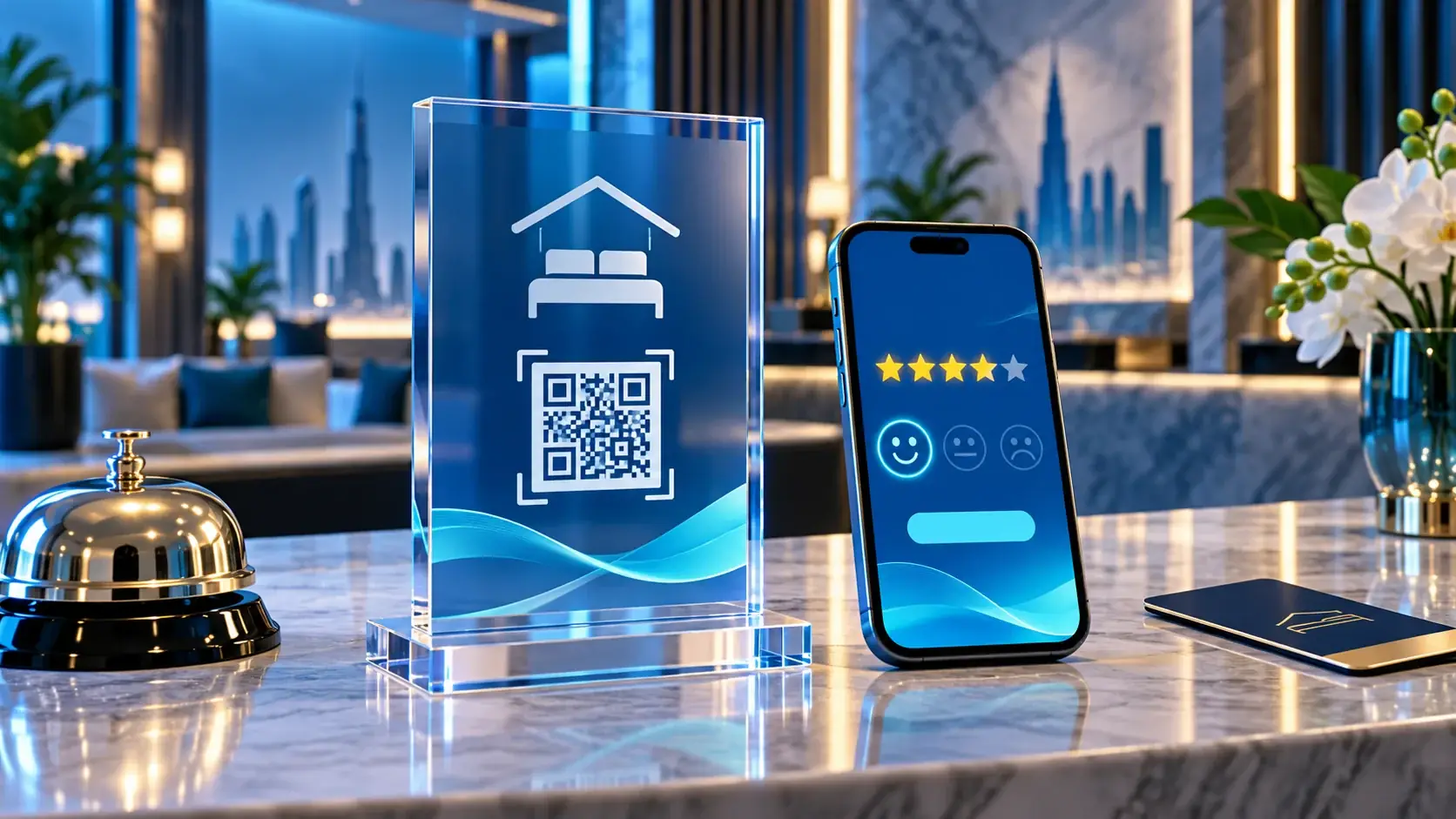
A hotel reception QR stand belongs at a clear moment in the guest journey: after a genuine stay or service, when the guest can choose whether to share feedback. Questions about a room, a reservation, accessibility, an invoice or an unresolved issue still need the hotel’s real staff channel. A review stand is not a booking, concierge, complaint-resolution or guest-service system.
This distinction matters at a busy front desk. Guests arrive with different needs, and one code should not make every route look the same. Give immediate assistance a visible hotel contact path. Keep a public review invitation separate, optional and neutral. The hotel chooses its actual contact details, placement and language; this guide does not describe a hotel partnership or claim that ADMAL provides hotel operations.
Map the guest’s task before choosing a touchpoint
Begin with a simple question: what is the guest trying to do now? At check-in, someone may need directions, confirm a room detail or ask where to find a facility. During the stay, a guest may need help with a current problem. At checkout, a guest who has completed the experience may want to share an opinion. Those are different tasks, so they should lead to different destinations.
Use the hotel’s existing contact route for assistance. It may be a staffed reception desk, a telephone number or another channel the hotel actually monitors. Verify that the route reaches the right team during the hours stated. Do not label a public review form “Get help” or direct an unresolved service issue to a page that cannot respond to it.
A review invitation has a narrower purpose: let a guest who chooses to do so reach the hotel’s selected review destination. It does not confirm that a review was submitted, that the hotel read it, or that a reported issue has been resolved. Keep the labels and expectations precise.
Choose a respectful moment and neutral wording
The invitation should come after the relevant experience, not as a condition of service. A guest should be free to decline without explanation. Avoid asking for a particular star rating, requesting only positive feedback, or linking a gift, discount, upgrade or other benefit to a review. Staff should not stand over a guest while they respond or ask to see what they wrote.
At checkout, a short sentence can explain the choice without pressure: “If you would like to share feedback about your stay, you can use this QR code.” A bilingual version should say the same thing. The staff member can point out the sign and then return attention to the guest’s actual needs.
If a guest raises a problem, address it through the hotel’s service process first. Do not use the review stand to redirect the guest away from staff, and do not make access to assistance depend on completing a public review. A neutral review request can be offered separately when appropriate; it should never replace a direct response.
Give each code one job
Before printing or publishing anything, write down the destination and owner for each touchpoint. A reception help link should reach a hotel-controlled contact route. A review stand should open the exact public review destination selected by the hotel. If the hotel has multiple branches, identify the correct property and review page before production; a guest should not be sent to a similarly named location.
Keep the printed prompt beside the code short and specific. Tell the guest what the scan opens. Test the destination from a phone that is not signed in to the hotel’s management account. Check the result over the hotel’s guest Wi-Fi and, where practical, a mobile connection. Confirm that the landing page names the right hotel and branch before the stand is placed in public.
Do not infer a successful scan from a printed QR image or an NFC symbol. Open each path yourself. A code that loads a general homepage, a staff-only dashboard or the wrong branch is not ready for guests.
When a hotel reception QR stand fits
ADMAL’s Model 01 offers one physical reference point for a hotel reception QR stand: transparent acrylic with NFC and a printed QR code. Its published dimensions are 170 × 60 × 140 mm (L × W × H), and the listed colour choices are transparent, transparent and black, transparent and gold, or transparent and white. The product listing describes the use as inviting feedback and online reviews at a physical location. These facts describe that specific model; they do not establish hotel installation, hotel suitability at every counter, or any partnership.
The listed fulfillment choices have different meanings: Duplicate repeats the same data and digital link across multiple stands; Unique uses separate data and a separate digital link for each stand. For a hotel reception QR stand, choose the fulfillment option based on the actual branch and destination plan, then confirm that every stand leads where its label says. Do not assume that different appearance alone means different destinations.
The printed QR destination is static after manufacturing, so confirm the exact branch link first. The product information says the NFC destination can be changed locally by the customer while holding the stand; ADMAL cannot change it remotely. Keep a record of which stand belongs to which reception or property so staff can test the right one after a change.
Keep the seven emirates as real locations, not blanket claims
The same planning method can be used by a hotel in Dubai, Abu Dhabi, Sharjah, Ajman, Fujairah, Umm Al Quwain or Ras Al Khaimah. Those names are examples of UAE locations, not a claim that one hotel, ADMAL product or service operates in all seven emirates. Use the property’s actual name, branch and contact destination on each sign.
For a hotel group with several properties, assign an owner to verify the destination for each branch. A property name, review link and sign should agree. When a hotel changes its public listing, location name or contact workflow, recheck the relevant codes and printed copy before using them again.
Make Arabic and English guest prompts equivalent
Write each language from the same approved instruction. The Arabic text should not promise assistance or a response time that the English text omits. The English text should not make a neutral invitation sound like a required step. Use familiar words for reception, guest support and feedback, and ask a fluent reviewer who was not involved in drafting to compare the two versions.
Check line breaks, font size and contrast on the physical sign. A guest should be able to read the prompt without lifting the stand or blocking the reception queue. Keep the printed instruction distinct from the QR code’s destination so a later digital change cannot silently make the sign misleading.
Run a front-desk acceptance check
Before the stand reaches a guest-facing counter, test the complete journey with a staff member who did not prepare it:
- Ask a test user to find the real help route without scanning the review code.
- Scan the QR code and tap NFC on a compatible phone; verify the intended review destination.
- Confirm the property name and branch on the destination page.
- Read the prompt in Arabic and English and check that both are optional and neutral.
- Make sure staff can explain that the review action is separate from guest assistance.
- Recheck the stand after moving it, changing the NFC destination or updating hotel details.
If any step reaches the wrong team, branch or purpose, correct it before displaying the stand. The standard is simple: help goes to hotel staff; an optional review invitation goes to the verified public destination; neither path promises an outcome the system cannot confirm.